
A familiar chat
Answers stream in as they are written, with stop, copy, regenerate and edit-and-resend. Models that can “think” get a deep-thinking switch.
 Lemon · local AI chat
A ChatGPT-style Windows app for AI models that run on your computer through Ollama. One small .exe, in Arabic and English, with no account and no cloud.
Free & open source (MIT) · Windows 10/11, 64-bit · single file, no installer · needs Ollama
Lemon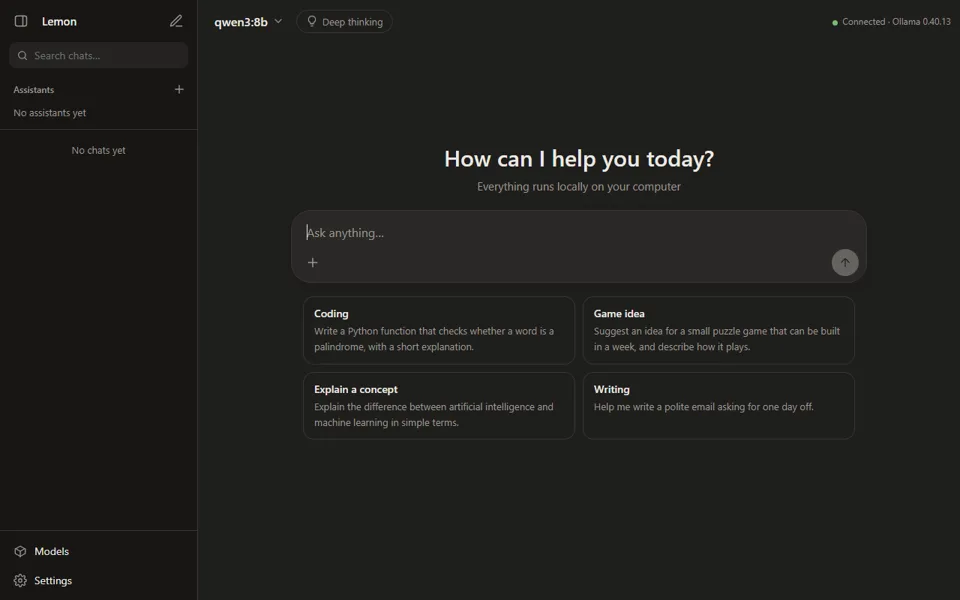
Features
Lemon talks only to the Ollama server on your own computer. Your prompts, files and chats never leave it.
Answers stream in as they are written, with stop, copy, regenerate and edit-and-resend. Models that can “think” get a deep-thinking switch.
Give an assistant your PDFs, text, code or notes. It answers only from them in strict mode and shows its sources under each answer.
Run HTML, JavaScript or SVG, from pages to small games, in a sandboxed side panel. Errors are caught, with an “ask for a fix” button.
Download and delete Ollama models inside the app. Suggestions are rated against your graphics card and memory: recommended, slow, or not recommended.
Switch the language live in Settings, with correct right-to-left and left-to-right layout everywhere. Light, dark or system theme.
No telemetry, accounts or ads. Its local server listens on 127.0.0.1 only and refuses requests from other websites. Updates install in one click, checked with SHA-256.
New in 2.2
With deep understanding, on by default for new assistants, the model reads each document once and writes a structured digest of its sections, numbers and conditions.
Indexing takes longer with deep understanding: in the developer’s test on an RTX 2070 (8 GB) with qwen3:8b, a 6-page Arabic PDF took about 95 seconds. Scanned PDFs without a text layer can’t be read; use a copy with OCR text.
Lemon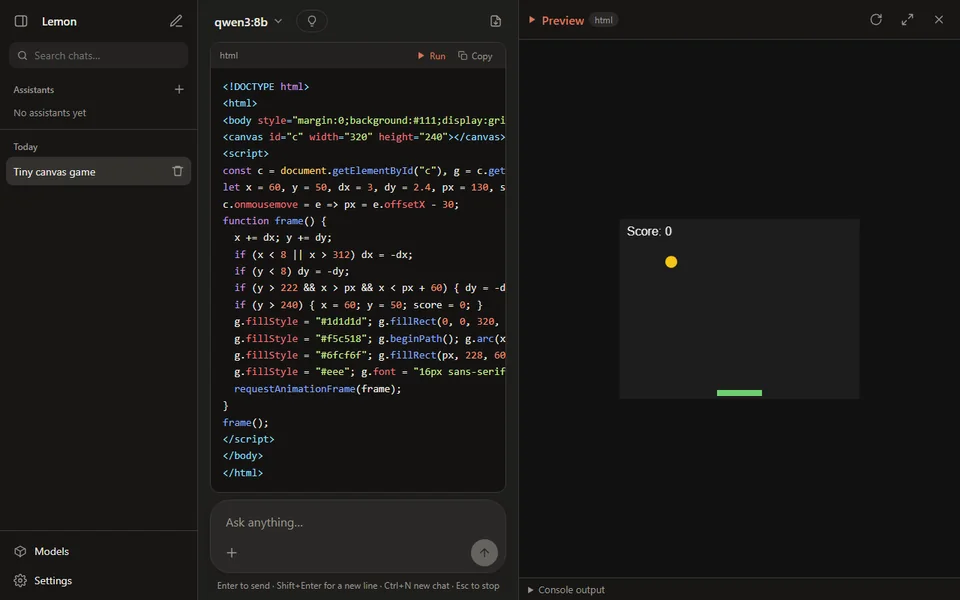
Requirements
Lemon is the window you chat in. The AI models themselves run in Ollama, a free program that you install once.
local-ai-chat.exe. There is no installer: keep the file wherever you like.
Free and open source. One file, straight from the app’s official release.
The release notes show the file’s SHA-256 fingerprint. To compare it, run Get-FileHash .\local-ai-chat.exe in PowerShell.
No. Chats run on your PC. The internet is used only when you download a model (Ollama fetches it) and for the update check, at start-up and every 6 hours, which you can turn off in Settings.
Ollama is a separate, free program that runs AI models on your computer. Lemon is the app you chat in; it connects to Ollama at http://127.0.0.1:11434 by default, and you can change that address in Settings. Ollama and the models are not part of Lemon, and each model has its own license.
Open Models in Lemon: the catalog rates each model against your graphics card and memory. A small Qwen or Gemma model is a good start. Models with 1 to 4 billion parameters also run without a graphics card, only more slowly.
In %APPDATA%\LocalAiChat on your PC: one file per conversation, plus settings and assistants. Exports go to Documents\LocalAiChat. To keep everything in one folder instead, set the LOCALAI_DATA_DIR environment variable.
Not yet. A scanned page is only an image, so there is no text to read. Give the assistant a copy of the PDF with OCR text and it works as usual.
Lemon is not code-signed yet, so SmartScreen doesn’t recognise the publisher. Click “More info”, then “Run anyway”. The code is public, every release is built automatically from it, and you can compare the file’s SHA-256 fingerprint with the one on the release notes.
Close Lemon and delete local-ai-chat.exe. To also delete your chats and settings, remove the LocalAiChat folders. Your models stay in Ollama until you delete them there or in Lemon’s Models page.