
Instant filename search
Across all drives or one folder, with ready-made filters: documents, pictures, audio, video, archives, programs, folders. Often-opened files come first.
Free · Open source · For Windows
Find any file on Windows as you type, even inside documents. InstaFind indexes all your drives once and shows results while you type, even with millions of files. And it understands Arabic the way people actually type it.
Version 0.7.0 · a single bahth.exe, nothing to install · Windows 10 or 11 (64-bit, ARM64 and 32-bit) · MIT license
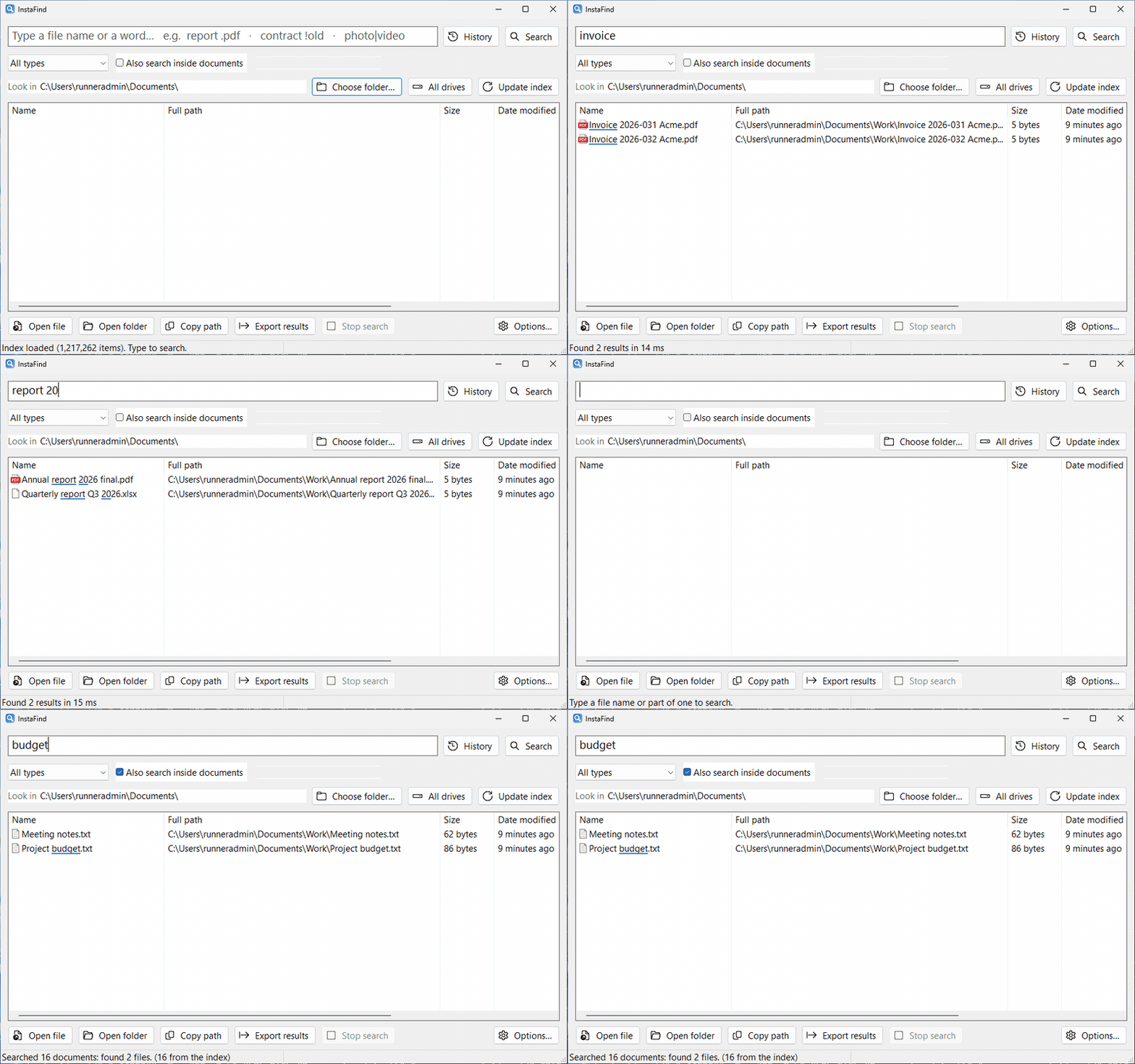
A file search tool for Windows written in Rust. The index keeps itself current as files are added, deleted or renamed.
Across all drives or one folder, with ready-made filters: documents, pictures, audio, video, archives, programs, folders. Often-opened files come first.
PDF, Word, Excel, PowerPoint, e-mail and epub, with a snippet of the matching text. Images and archives too.
Phrases, OR, NOT, extensions, size, date modified, regex, whole word and word proximity, e.g. ext:pdf size:>10mb dm:thismonth.
Ctrl+Alt+F shows the app from anywhere; Ctrl+Alt+G in any program's Save or Open dialog jumps the dialog to the folder of a result.
Duplicate finder, folder sizes, thumbnail view, find & replace in text files with undo, CSV export, drag & drop into WhatsApp or mail, a command line and a Flow Launcher plugin.
Follows the Windows display language; switch any time in Options → Language / اللغة. Starts with Windows in the background and updates itself with one click.
Hamza forms, ta marbuta, alef maqsura, diacritics, tatweel and the ال prefix are ignored; Arabic-Indic digits and Persian letters are accepted. When nothing matches, it retries with the other keyboard layout, then Arabizi, then near spellings.
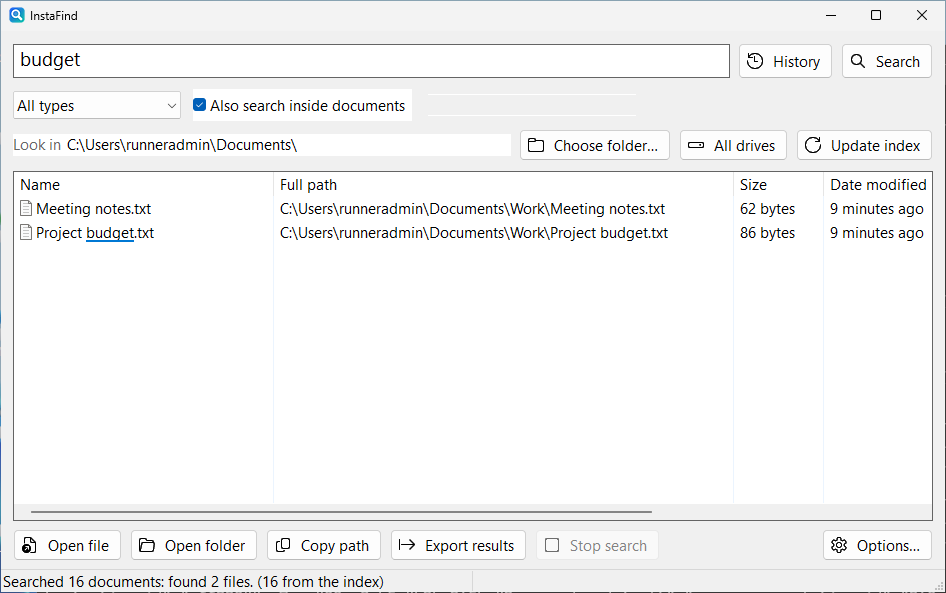
Tick Also search inside documents and press Enter: every file that contains your words is listed with a snippet of the matching text. Size and date filters work here too.
Every release is run on real Windows before it is published: it indexes the whole drive and searches in Arabic, and it is not released if anything fails.
| Search | InstaFind | dir /s | Get-ChildItem |
|---|---|---|---|
report | 1 s | 73–108 s | 29–51 s |
احمد (files named أحمد) | 1 s, finds both | 19–33 s, finds none | 29–50 s, finds none |
The second includes starting the command-line tool and loading the index from disk. In the open window, results appear as you type, in milliseconds. Raw results
InstaFind works offline. The index and every search live on your computer; nothing is uploaded anywhere.
%LOCALAPPDATA%\BahthSari\ and can be deleted at any time.Pick whichever way suits you. The current version is 0.7.0.
A single file; nothing to install. Put it in a permanent folder, for example %LOCALAPPDATA%\Programs\Bahth\, and run it.
For most PCs (64-bit). Other PCs: ARM64 (e.g. Snapdragon) · 32-bit
If you use the Scoop package manager:
scoop bucket add instafind https://github.com/sarmadiq9090-coder/arabic-file-search
scoop install instafindComing soon to the official winget repository:
winget install InstaFindThe first run indexes your drives in the background (a minute or more, depending on the number of files); after that the app opens instantly. If SmartScreen warns because the file is not code-signed: More info → Run anyway. Updates are automatic from then on.
Yes. It is free and open source under the MIT license.
Yes. Tick Also search inside documents and press Enter. It reads docx, xlsx, xls, pptx, pdf, odt, ods, rtf, doc, txt, csv, e-mail (eml, msg), epub and source code, and repairs reversed Arabic text in PDFs. Images and scanned PDFs are read with the OCR engine built into Windows 10 and 11.
If you want instant filename search across all drives, like Everything, plus real Arabic matching and search inside documents, that is what InstaFind is built for.
No. Indexing and search run on your PC. The only connection is the update check against GitHub.
Windows 10 or 11, 64-bit. Text recognition in images needs the Windows language pack for each OCR language.
Because the file is not code-signed. Click More info, then Run anyway. All the source code is on GitHub.
Turn off Start with Windows in Options…, then delete bahth.exe and the %LOCALAPPDATA%\BahthSari\ folder.
One file, nothing to install, and it finds any file as you type.